Contact immediately


A Die Cut Printer is pretty much the tool that combines printing graphics with precise cutting — think of making labels, stickers, packaging samples, or even custom shapes straight from your digital design. The term itself can refer to a few different types of equipment. For example, some machines can print and cut in one go, while others are paired with a separate digital cutter. That’s actually something you’ll want to keep in mind if you're comparing options or planning your production workflow.
So here’s how it works: you start by preparing your artwork — it needs to be ready for print with a clear vector cut path that shows the shape you want. The printer then applies ink to your chosen material, like paper, vinyl, or cardstock. If it’s a combined system, there might be sensors that read registration marks, helping the cutter align its blade perfectly with the printed image. Then, the blade follows the cut path. It might just cut through the sheet, or do a kiss cut — which leaves the backing intact so you can peel your sticker right off.
Just a heads-up though: details like material thickness, blade condition, feed alignment, and your artwork preparation are all critical for a clean finish. Doing a test cut first can save you a lot of trouble before going into a big run. Keep in mind, a "Die Cut Printer" doesn’t automatically guarantee flawless edges or perfect colors — that depends on the machine, its settings, and the supplies you use. Also, it’s worth checking whether the machine uses a digital blade or a traditional steel-rule die; each has its pros and cons when it comes to speed, setup, and suitable project sizes. Honestly, I’d never just go by the headline speed alone. Looking at sample outputs, compatible materials, maintenance, and your actual workflow tend to give you a much better idea of what’s right for you.
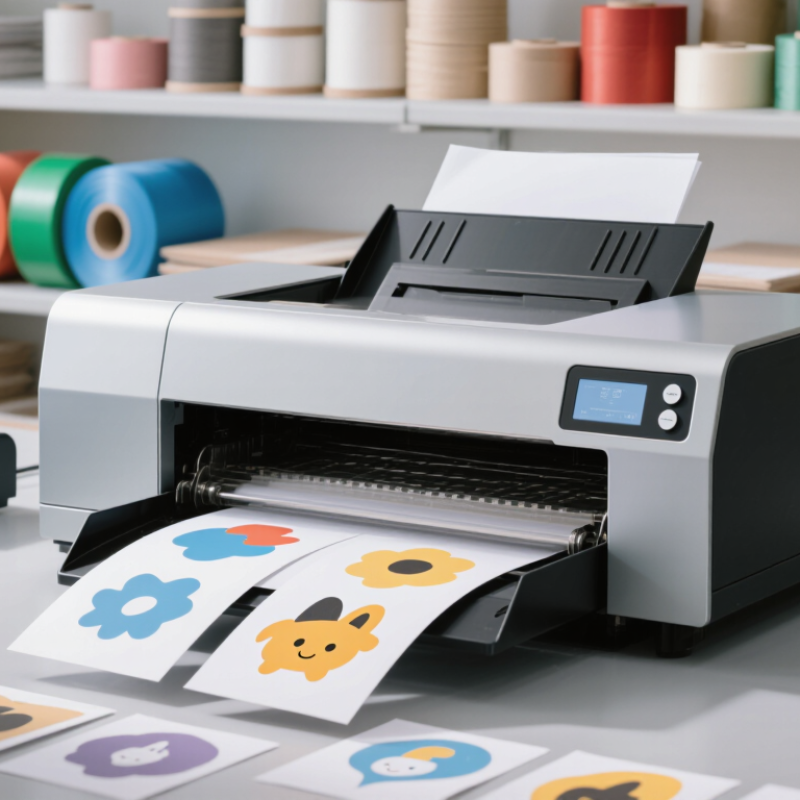
A die-cut printer is a printing system that produces a design and cuts material around selected shapes. The cutting may follow printed outlines, such as the curved edge of a product label or the small gap inside a letter. A Die Cut Label Printer combines printing with a cutting function, either in one machine or through connected equipment. The printer lays down text, color, and graphics; a blade or other cutting tool then follows the job’s cut paths. That distinction matters. Some machines cut through the backing, while others make a shallow kiss cut through the label face only.
A digital file usually tells the system where to print and where to cut. Sensors may read registration marks, helping align the blade with the printed artwork. In practice, material thickness, blade condition, and feed alignment can all affect the result. A tiny shift may leave a pale border on one side of a label. It is easy to overlook. Test cuts on the actual stock can reveal problems before a longer run, though they do not guarantee perfect results. The term “die-cut printer” can also describe different setups, so checking whether a machine prints, cuts, or does both is worth the extra minute.
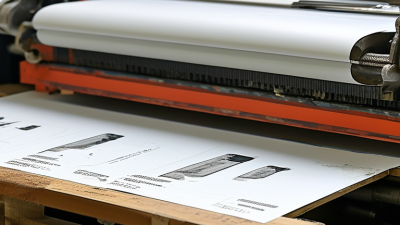
A die-cut printing system combines image production with controlled cutting. Its print engine deposits ink or toner onto sheet or roll stock, while a RIP and job controller convert artwork into printable data. Registration sensors then read marks on the material and align the cut path with the printed image. Even a few millimeters of drift can leave a white edge around a label.
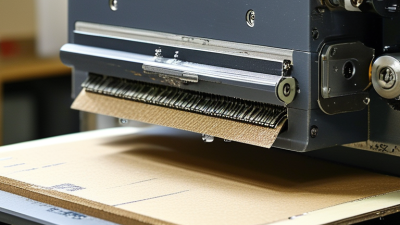
The cutting unit may use a flatbed blade, rotary die, or digital knife. A flatbed tool moves across a stationary sheet; a rotary die cuts as material passes between rollers. The system also needs a stable feed mechanism, suitable tooling, and software that links print and cut files. Finished pieces may pass through a stripping station, where surrounding waste is removed. Small details matter. Blade pressure, substrate thickness, and adhesive behavior all affect clean edges. Smithers’ report The Future of Digital Print for Packaging to 2028 forecasts digital packaging print value reaching $36.9 billion by 2028, reflecting demand for shorter, more varied runs. That figure describes digital packaging print, not die-cut equipment. In practice, the workflow is less seamless than diagrams suggest; operators still check registration and test cuts when materials change.
A Die Cut Printer Machine can print a design, then cut or crease its outline using a blade or shaped die. Common materials include paper, cardstock, corrugated board, label stock, and some thin plastics; the machine’s specifications determine what it can handle. Thin stocks cut cleanly. Heavier board may need slower passes or a stronger cutting setup. Typical designs include hang tags, folding-carton blanks, sticker sheets, display shapes, and packaging with slots or perforations. Keep small details connected to the main shape, or they may lift during finishing.
Material choice affects both the cut and the final product. FEFCO’s 2022 European Database Report records 48.1 billion square metres of corrugated-board production in Europe, illustrating the scale of a widely die-cut substrate. Smithers’ report, The Future of Digital Print for Packaging to 2024, forecast a $22.5 billionvalue for digitally printed packaging and labels in 2024; printing and Die Cutting are separate steps, but together they support customized formats.
For a practical test, cut a small sample with the intended stock, including tight corners and fold lines. Not every curve behaves. A layout that looks precise on screen can tear, buckle, or lose detail when the material is too thick or the spacing is too narrow.
A die-cut printer workflow combines printed artwork with a separate cutting path. Prepare the cut line as a clean vector shape, not a thin printed outline. Keep it on a clearly named layer and confirm the required spot color and file format with the printer. Small details matter. Open paths, duplicate lines, or overlapping curves can cause cuts to stop or repeat.
Smithers’ report The Future of Digital Print for Packaging to 2028 projected digital packaging print growth from $22.5 billion in 2023 to $36.9 billion in 2028. More short-run designs make reliable file setup especially useful. Add bleed beyond the cut edge; 3 mm is common, but follow the printer’s specification. Keep text and important graphics inside a safe area, since paper, film, and board can shift slightly during cutting.
Check that the artwork and cut path align, then inspect the file at high magnification. FESPA’s 2023 Global Print Census surveyed more than 1,800 print businesses across 120 countries, reflecting the varied production conditions printers face. A PDF preview helps, but it can hide technical faults. I still find tiny stray points easy to miss. Request a proof when shape accuracy matters, and check whether the material’s thickness changes the final edge.
A die-cut printer combines digital printing with contour cutting, producing stickers, labels, decals, or shaped packaging from a printed sheet or roll. The printer lays down the design; a blade then follows a digital cut path around its edges. For accurate alignment, optical sensors read registration marks printed beside the artwork. The cut may pass through the material or only through its top layer, leaving the backing intact.
This is how a Print And Cut Printer finishes a design: software sends the artwork and cut line, sensors locate the marks, and a small blade traces the outline. Kiss-cut stickers stay on their liner; through-cuts separate individual pieces. Operators may then weed excess material, laminate the surface, or apply transfer tape. Grand View Research valued the global digital printing market at about $35 billion in 2023 and projected 6.7% annual growth through 2030. That wider market trend is useful context, though it does not measure die-cut equipment alone. A clean sample can still hide a fussy setup.
Tips: Use a test cut on the actual stock. Check tiny corners under bright light, and slow the blade if edges lift. A slightly imperfect first pass is normal; adjust pressure before running the full sheet.
A die-cut printer prints artwork and cuts it along a specified outline. This chart shows the finished dimensions of an example sticker design; actual dimensions vary by project.
For this example, artwork extends 3 mm beyond the cut line as bleed, while important content stays at least 2 mm inside it as a safe margin. The cutting path follows the design’s outline.
A die-cut printer combines printing with a finishing step that cuts sheets into custom shapes. The cutting method affects speed, edge quality, setup cost, and suitable materials. Flatbed steel-rule cutting presses a shaped metal blade through stock. It suits thicker board and short-to-medium runs, but each new shape needs a made-to-order die. Rotary die-cutting uses a cylinder-mounted tool. It runs quickly on continuous rolls and fits high-volume labels, though tooling can be costly. Digital Cutting uses a controlled blade and needs no physical die. It handles short runs and frequent design changes, but can be slower on large orders.
The Die Cut Printing Machine is not one standard machine; some systems print and cut in sequence, while others only finish printed sheets. Smithers’ 2023 report, The Future of Digital Printing to 2032, values the digital-print market at $167.5 billion in 2022 and forecasts $251.1 billion by 2032. That growth supports more variable, short-run work, but it does not prove Digital Cutting is best for every job. Heavy board, fine corners, and long runs can change the calculation.There is no universal winner.
Tips: Match the method to material and quantity. Ask for a sample cut on your actual stock, especially around tight curves. Check setup charges and edge quality. A small test may reveal flaws a neat screen preview misses.
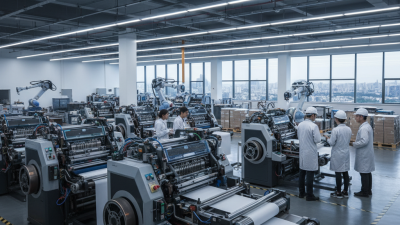
Die-cut printing turns a printed sheet into a chosen outline, such as a round label, a windowed card, or a folding carton. A digital cutter uses a blade, while a die-cut press uses a shaped metal tool. Both follow a cut line in the artwork. On a shop floor, accurate registration matters: even a small shift can leave a white edge or an uneven border. These methods suit product labels, stickers, retail packaging, greeting cards, and promotional pieces that need a distinctive shape. The Smithers report The Future of Global Printing to 2028 estimates the global print market will grow from $818.5 billion in 2023 to $846 billion in 2028. That figure covers print broadly, not die-cut products alone, but it reflects a substantial market for printed materials.
Tips: Ask for a physical proof before approving a large run. Check that the cut line avoids text, and test folds on the actual stock. Thick or laminated materials may need different cutting settings. Small details can tear; simplify tight corners when possible. A test is worth it.
Die cutting also helps create packaging that fits a product without excess material, though a custom shape can increase setup time and waste during production. For short runs, Digital Cutting can avoid making a separate metal die. For repeated, high-volume jobs, a physical die may be more efficient.The best choice depends on quantity, material, detail, and finishing needs—not appearance alone.
It prints artwork, then cuts or creases the material. Print and cutting need careful alignment.
Registration sensors read marks on the sheet or roll. A few millimeters of drift can leave a visible white edge.
Systems may use a flatbed blade, rotary die, or digital knife. Each suits different workflows.
Common options include paper, cardstock, corrugated board, label stock, and some thin plastics. Check the machine’s specifications.
Typical designs include hang tags, sticker sheets, carton blanks, and display shapes. Slots and perforations are possible too.
Thickness and adhesive behavior affect the edge. Test tight corners and fold lines on a small sample.
Narrow spacing or thick stock can cause tearing, buckling, or lost detail. Small pieces may lift if they are not connected.
Not entirely. Operators still check registration and test cuts when materials change; the process can be less seamless than it looks.
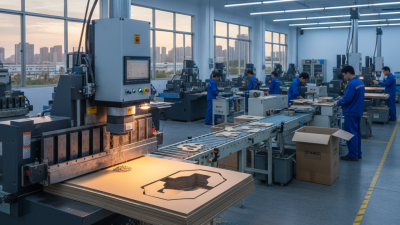
A Die Cut Printer is a system that prints and cuts a design into a precise shape, rather than leaving it as a standard rectangle. It typically combines a printer, a cutting mechanism, a material-feeding system, and software that coordinates the printed artwork with the cut path. Depending on the equipment, it can handle materials such as paper, card, labels, and selected thin sheets. Designs may range from simple circles and borders to detailed custom shapes.
To prepare a design, create the artwork and a clearly defined cut line, then check that their size and alignment match the material. The system prints the design, locates or follows the cut path, and uses a blade or other cutting method to separate the shape; extra material can then be removed and the result finished. Common methods include flatbed, rotary, and Digital Cutting, which differ in how they apply the cut and suit different production needs. Die-cut printing is used for items such as packaging, labels, cards, signs, and decorative pieces.